A softphone for Windows, works with any provider
Asterisk, FreePBX, 3CX, Kamailio or any hosted VoIP service — and make calls from your headset in a minute. HD voice, video, contacts and call recording, in an app that looks like it belongs on Windows 11.
Secure checkout at allplugin.com, our app store. Your licence key and download arrive with the order. · Read the user guide
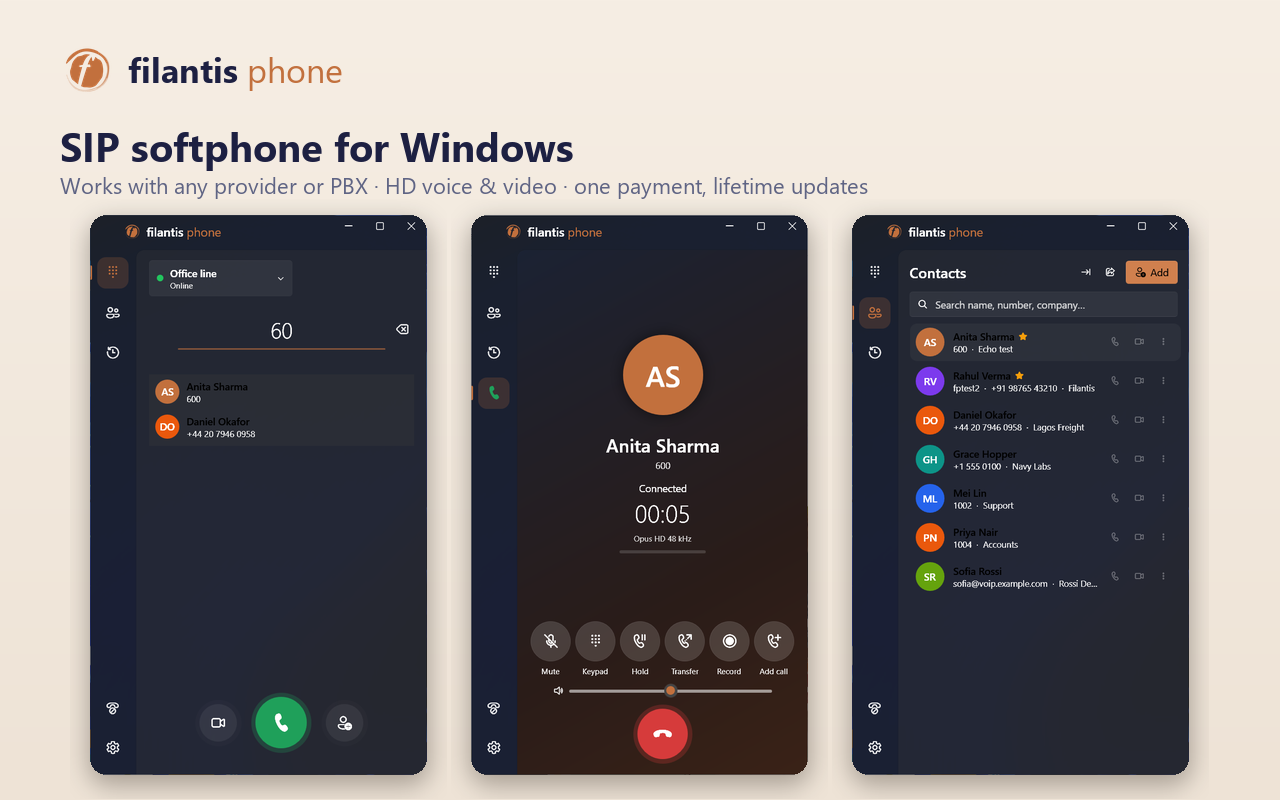
Everything a desk phone does
Feature-rich, without looking like a 2005 dialog box
Any SIP provider
Asterisk, FreePBX, 3CX, Kamailio or hosted VoIP. Several accounts at once, each with its own settings.
HD voice
Opus and G.722 wideband, G.711 too — in the codec order you choose. Echo cancellation built in.
Video calls
VP8 video with your webcam and a preview. Receive video even on a PC without a camera.
Answer from anywhere
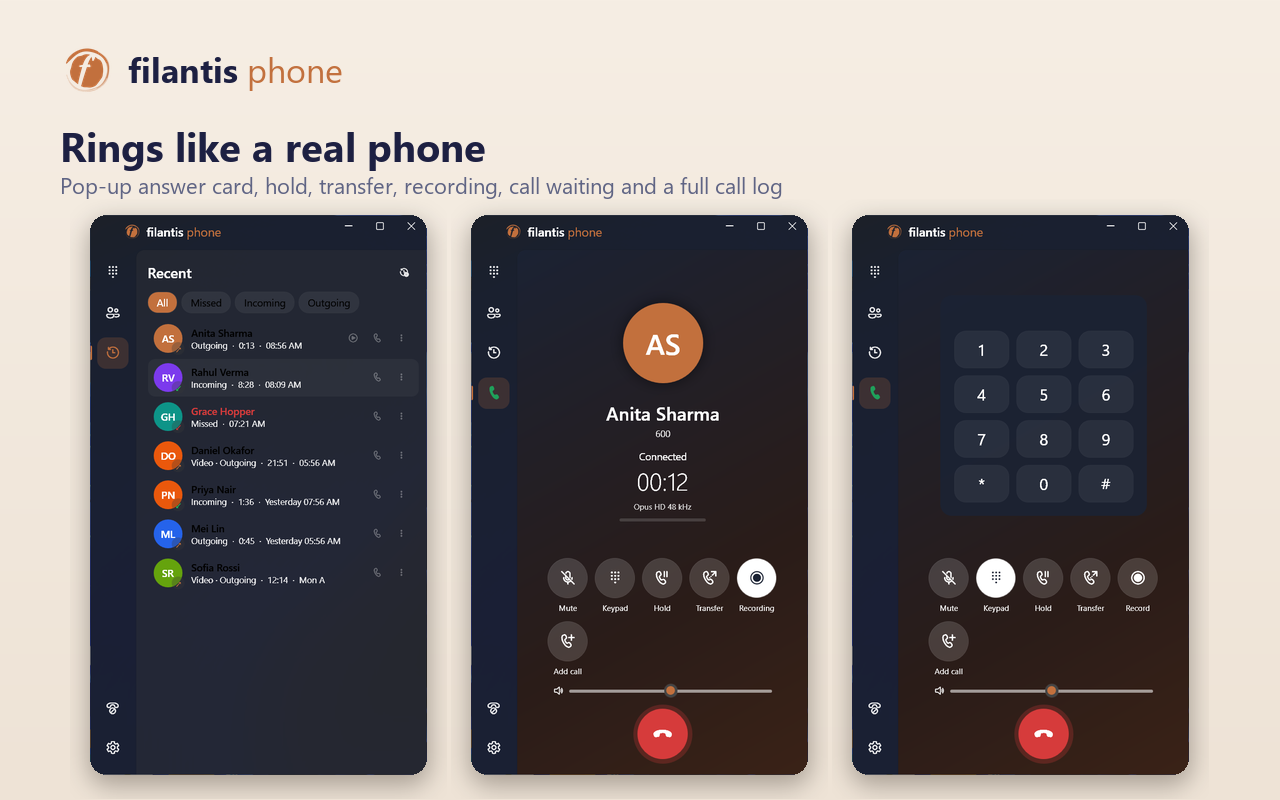
An incoming-call card pops up over any app. Tray icon, start with Windows, missed-call badge.
Hold & transfer
Hold, mute, blind or attended transfer, call waiting and the keypad for phone menus.
Call recording
One click, or every call automatically. Stereo WAV files — you on the left, the caller on the right.
Contacts
Favourites, search as you type, and import/export from Outlook, Google or your phone (CSV, vCard).
Call history
Colour-coded log of incoming, outgoing and missed calls, with call-back and recordings.
Do not disturb
DND, forward all calls, and auto-answer for intercom-style lines.
Encrypted calls
TLS signalling and SRTP media, with passwords stored encrypted by Windows.
Awkward networks
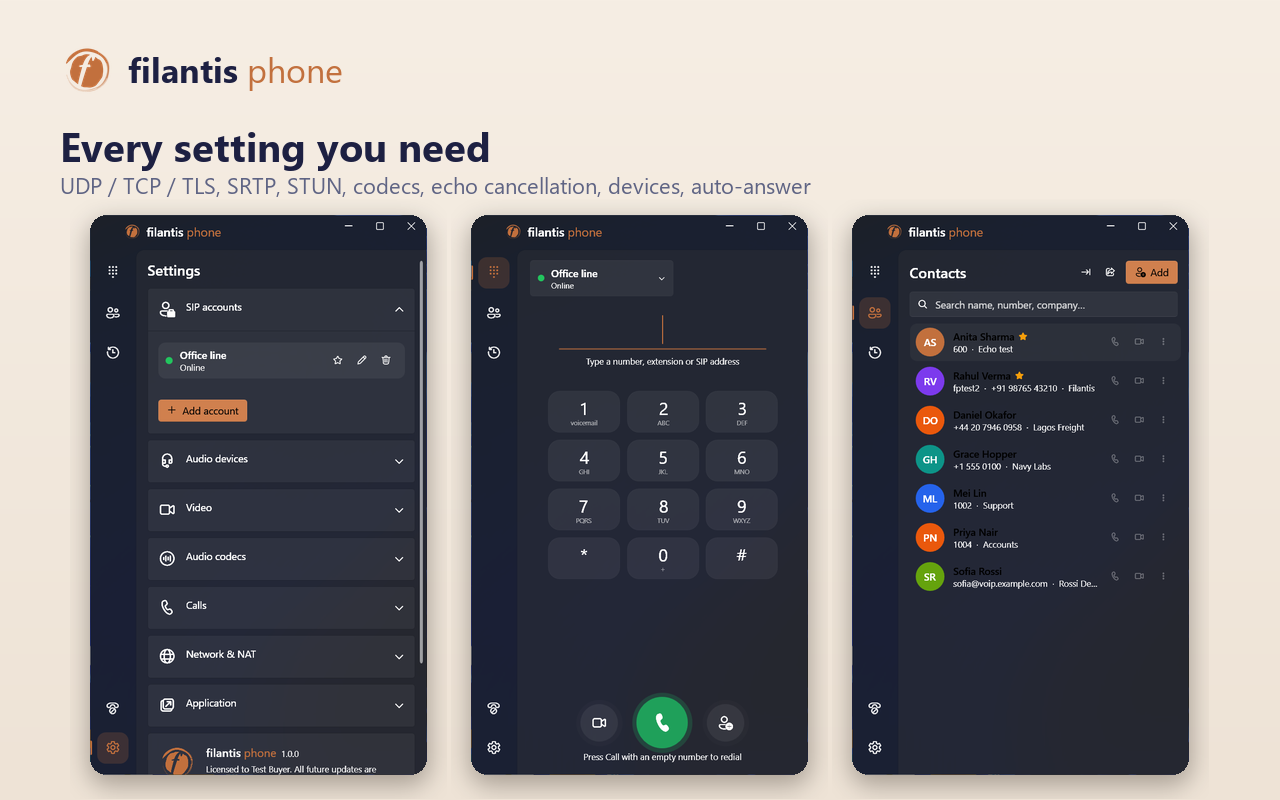
UDP, TCP or TLS, outbound proxy, STUN and keep-alives so calls reach you behind home routers.
Click to call
Opens sip:, tel: and callto: links from browsers and CRMs.
The real app
Rings like a real phone, with every setting you need
Specifications
- Operating system
- Windows 10 (1809+) or Windows 11, 64-bit
- SIP
- RFC 3261 over UDP, TCP or TLS; digest authentication
- Media
- RTP / SRTP (SDES), RFC 4733 DTMF, STUN
- Audio codecs
- Opus, G.722, G.711 µ-law and A-law
- Video codec
- VP8
- Recordings
- 16 kHz stereo WAV
- Installer
- 72 MB MSI, nothing else to install
- Your data
- Stays on your PC; passwords encrypted with Windows DPAPI
- Licence
- One key per PC; lifetime free updates
- User guide
- Read online · Download PDF
Pay once. Keep every update.
- Buy at allplugin.com — you get a licence key and the installer.
- Run FilantisPhone-Setup.msi. If Windows SmartScreen asks, choose More info → Run anyway.
- Enter your key, then your SIP account. The app tells you when a new version is out.
Questions about Filantis Phone
Do I need a Filantis workspace to use it?
No. Filantis Phone works with any SIP provider or PBX on its own. If you already run a Filantis workspace, the free Filantis apps sign in to it directly, phone included.
What do I need from my provider?
A SIP username, password and domain (sometimes also a proxy or port). Every VoIP provider and office PBX hands these out for desk phones and softphones.
Is it a subscription?
No. $29 once. Every future version is included, and the app downloads it with your key.
How many computers can I use it on?
One key activates one PC. Replaced a PC? Open a ticket on allplugin.com and we move the key.
Is there an Android version?
Yes — Filantis for Android, the same any-provider softphone for your phone, also $29 with free updates.
Why does Windows show a SmartScreen warning?
The installer is new, and SmartScreen warns about software it has not yet seen widely. Choose More info → Run anyway.