Cloud, office server or appliance: where should your phone system live?
Hosted in the cloud, on a box in your comms cabinet or on your own server: how to choose where a business phone system runs, with a simple decision chart.
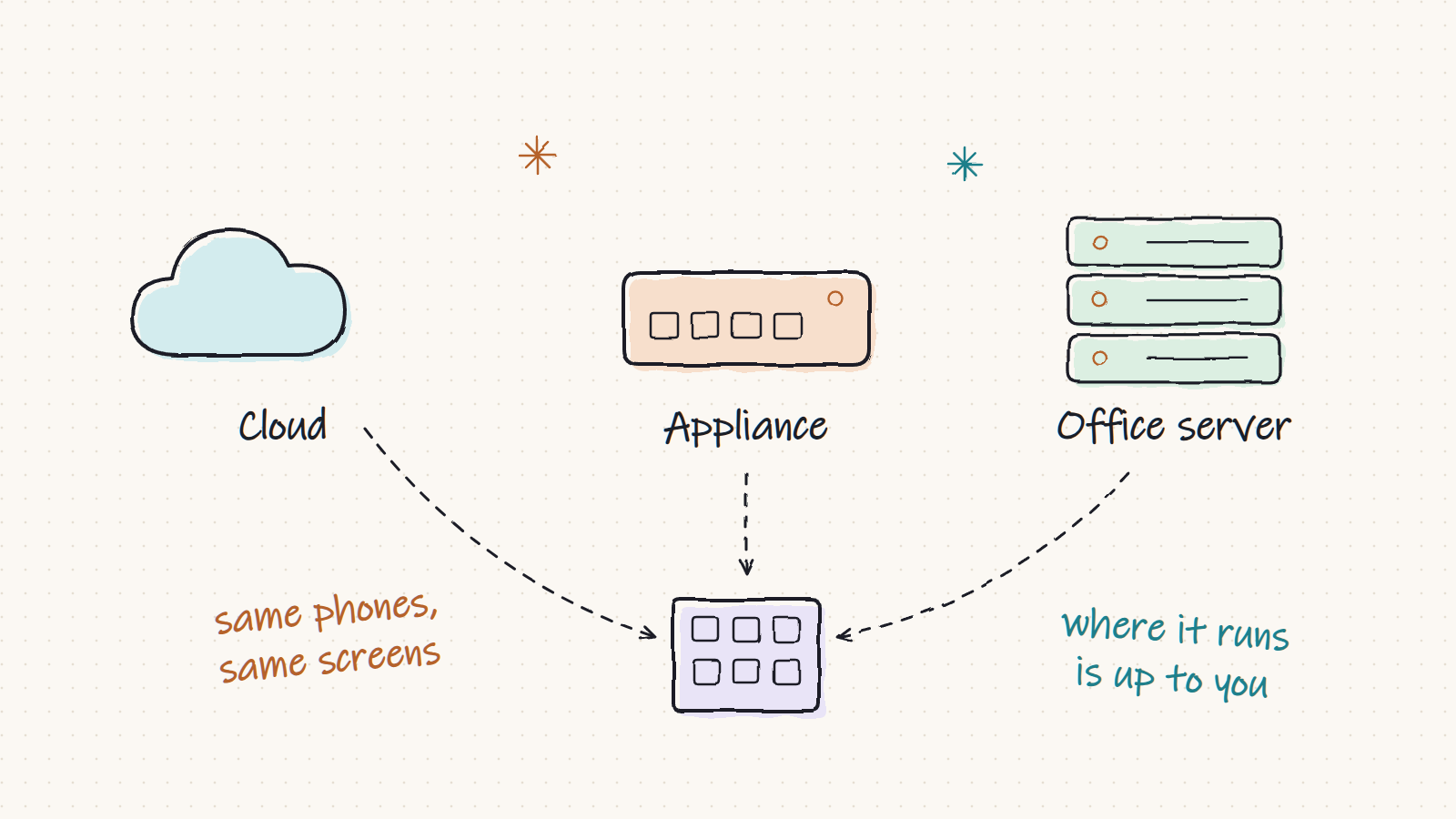
Twenty years ago a business phone system was a box on the wall. Then everything moved to the cloud, and many vendors stopped offering the box at all. Both extremes miss the point: where a phone system should run depends on your internet connection, your rules about data and who looks after your computers.
Filantis is one product that runs in four places. The screens, settings and features are the same in each, so this is a decision about deployment, not about features.
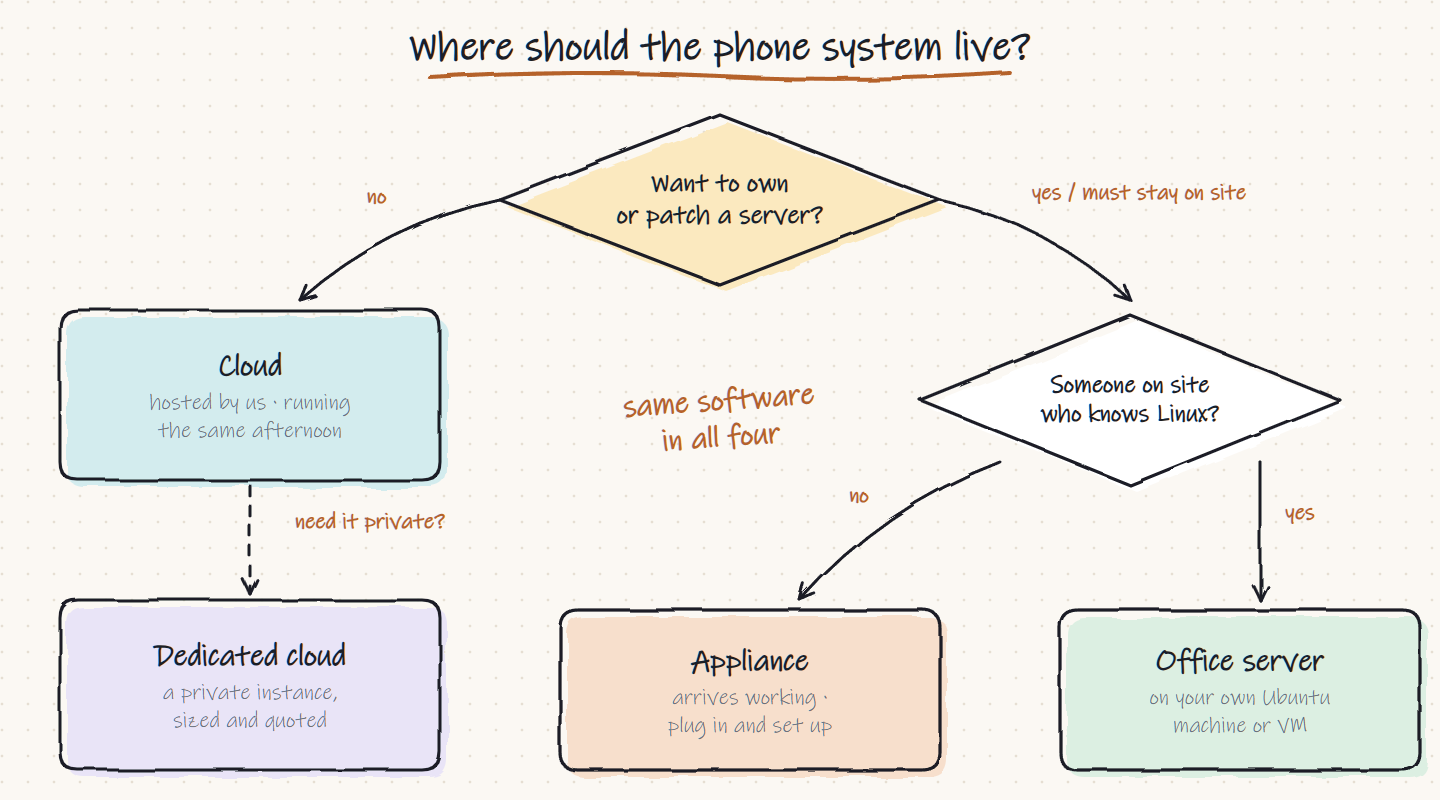
Cloud: hosted by us
There is nothing to install. You pick a plan, point your numbers at the service and put phones on desks, and a cloud system can be taking calls the same afternoon. We look after the machine, the updates, the backups and the certificates.
It suits you when nobody wants to own or patch a server, staff work from several places or from home, and a predictable monthly bill is better than a purchase. There is a free plan to start on, and the plans are sized by simultaneous calls.
The appliance: a box you own
A dedicated unit for the comms cabinet, bought once. It arrives working: plug it into the network, open the interface and set up your extensions. Updates are installed to a second slot and the unit falls back to the last working version if one goes wrong, so nobody on site needs to know Linux.
It suits you when an auditor or a client asks where the call recordings are kept, when the office has poor or expensive internet, or when you would rather buy a thing than rent one. Recordings, voicemail and call records stay in the building.
Office server: your hardware
The same software installed on a standard Ubuntu server in your own rack, or on your own virtual machine. Every feature is included, with no plans and no per-user licences.
It suits you when you already run servers and have someone who looks after them, or when data has to stay on your premises or in your own cloud tenancy. Backups and firewall rules are yours to decide.
Dedicated cloud: a private instance
A dedicated cloud server runs only your phone system, in the region you choose. It is sized and quoted for you, and an uptime commitment can be part of the agreement. Larger organisations choose it when they want cloud convenience without sharing a platform.
How to decide
- Start with the people. If nobody on your team wants to maintain a machine, choose cloud or the appliance.
- Then the data. If recordings must stay on site, choose the appliance or the office server.
- Then the internet. Calls between desks in one building should not depend on the line to the outside world. A system in the building keeps internal calls working when the internet is down.
- Then the money. Monthly subscription or a one-off purchase is a real preference, and both are available.
You are not locked in
Because it is the same product everywhere, moving between them later keeps the same interface, the same numbers and the same data. Many businesses start in the cloud to learn what they need and move to their own machine afterwards, or the other way round.
Whichever you pick, the phones are the same too: desk phones, the browser and the mobile and Windows apps ring together, and your existing numbers arrive over a SIP trunk. If your office is still on a single line, read five signs you have outgrown it first. Otherwise start in the cloud for free, or see all four side by side on the ways to run it page.